

Integrate ChatGPT Into Your Excel Workflows: A Free Tool for Business Users
Are you ready to supercharge your Excel spreadsheets with AI capabilities? Here is a free Excel macro spreadsheet that brings the power of ChatGPT directly into your worksheets. With this tool, you can leverage AI assistance right where you work – in your Excel cells.
What Does This Tool Do?
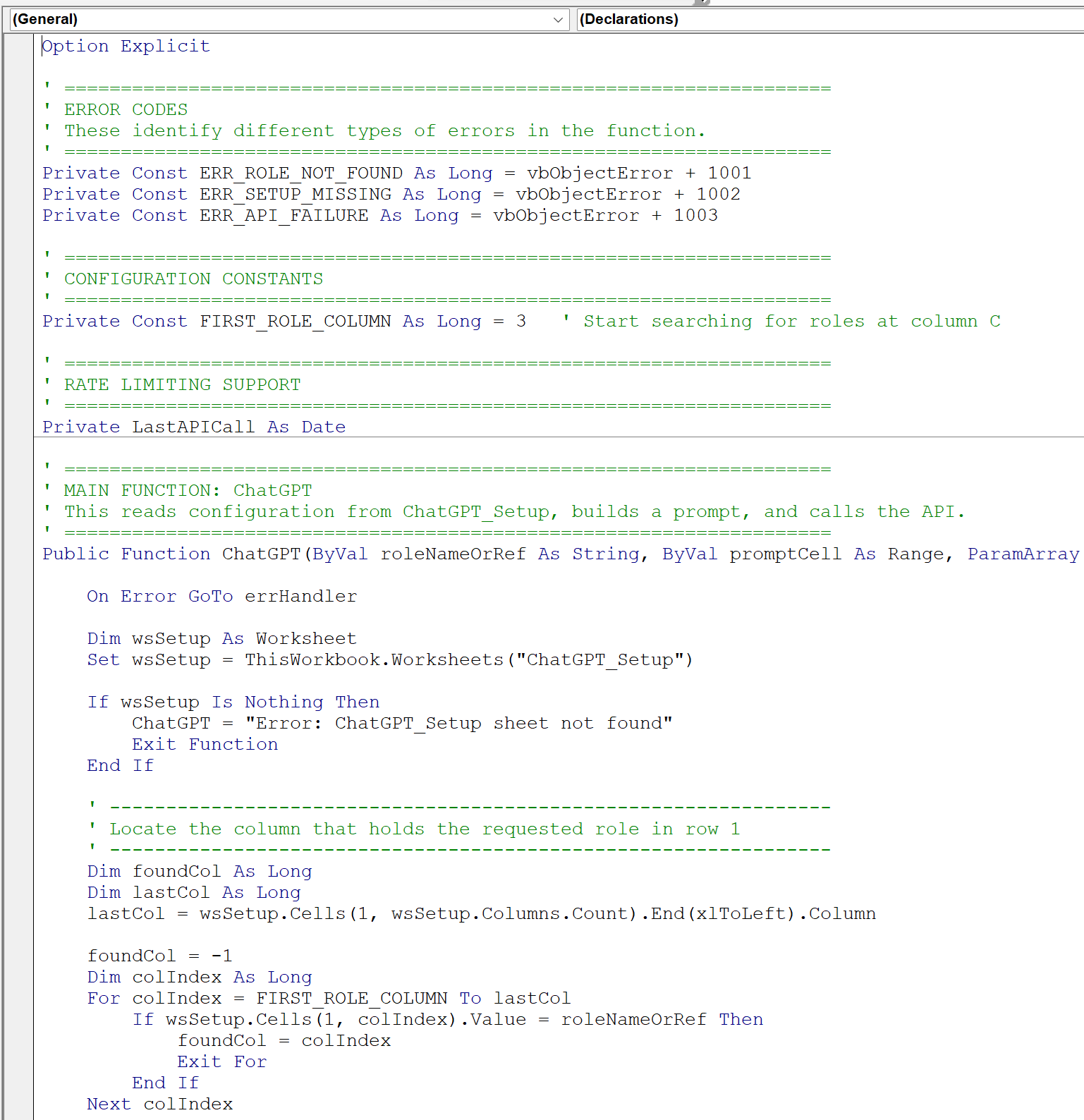
This Excel workbook adds a custom `=chatgpt()` function that connects with OpenAI's API to bring AI capabilities directly into your spreadsheet cells. Whether analyzing data, drafting content, or seeking data insights, you can now access AI assistance without leaving Excel.
> Important: This tool is provided by RivetingPartners as a free community resource and is not affiliated with, endorsed by, or connected to OpenAI in any way. The VBA macro code we built is freely inspectable and can be copied and re-used by you without payment to Riveting Partners. We don't receive compensation from OpenAI or any other company for sharing this work.
Getting Started
Prerequisites
- A current version of Microsoft Excel
- Basic familiarity with Excel functions
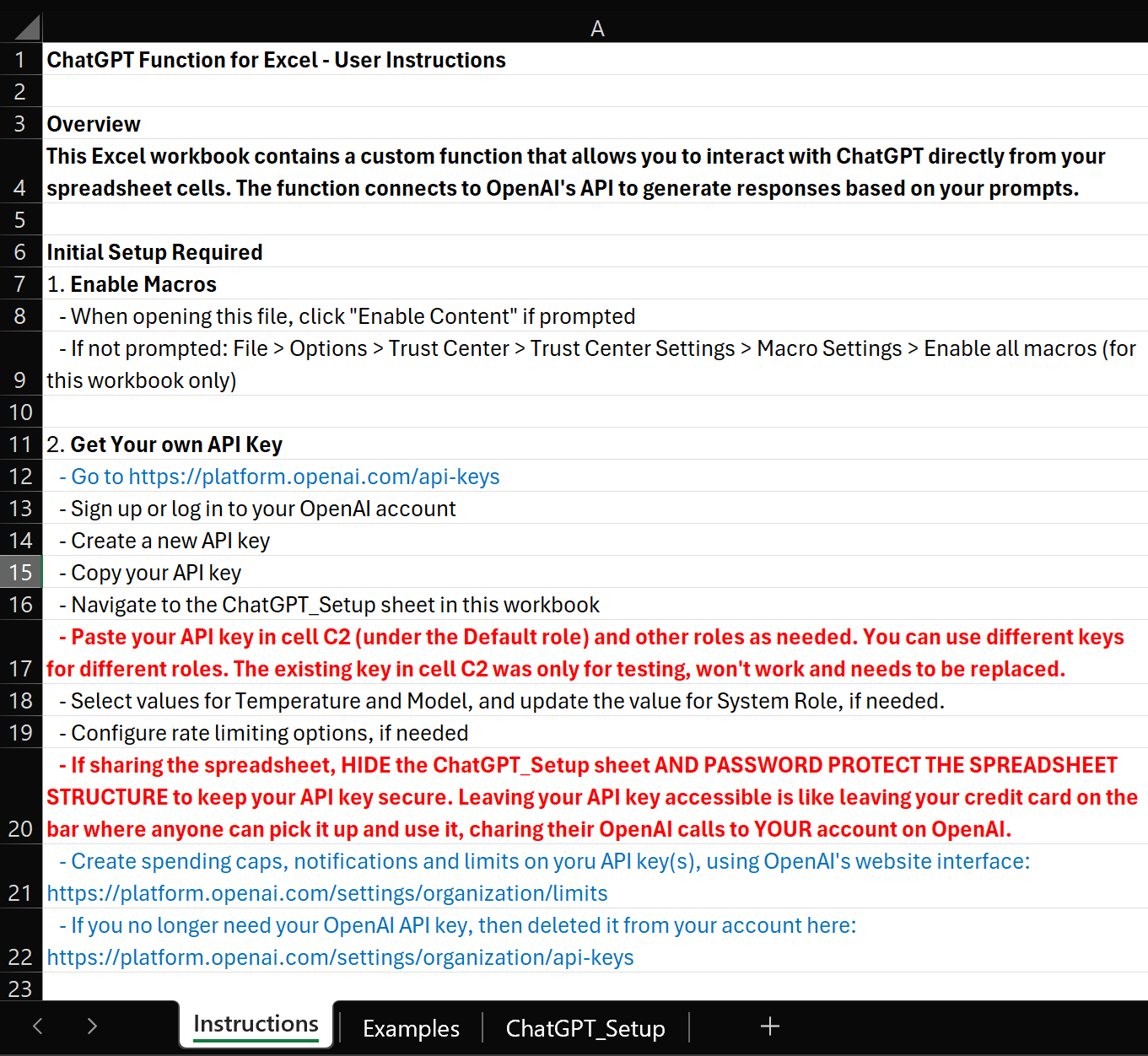
- Your own OpenAI API key. The instructions in the spreadsheet show you how to get yours at:
https://platform.openai.com/api-keys
Initial Setup
1. Purchase this product from our store (it’s free!).
2. Check your email and download the spreadsheet.
3. The spreadsheet is going to warn you that it includes macros. This warning is expected behavior.
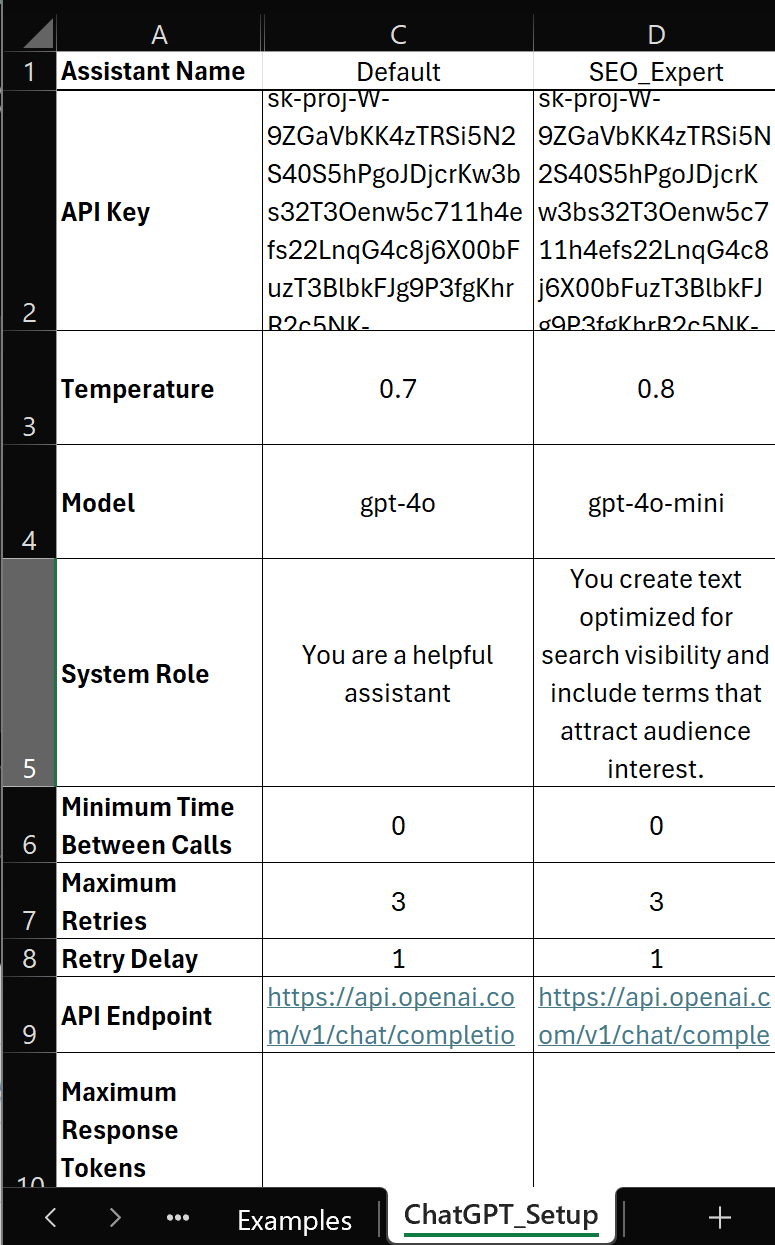
4. Open the "ChatGPT_Setup" tab.
5. Go to the ChatGPT_Setup sheet and replace the sample API key with your own OpenAI API key.
6. Save the workbook as an Excel macro-enabled workbook and begin experimenting.
Are you ready to supercharge your Excel spreadsheets with AI capabilities? Here is a free Excel macro spreadsheet that brings the power of ChatGPT directly into your worksheets. With this tool, you can leverage AI assistance right where you work – in your Excel cells.
What Does This Tool Do?
This Excel workbook adds a custom `=chatgpt()` function that connects with OpenAI's API to bring AI capabilities directly into your spreadsheet cells. Whether analyzing data, drafting content, or seeking data insights, you can now access AI assistance without leaving Excel.
> Important: This tool is provided by RivetingPartners as a free community resource and is not affiliated with, endorsed by, or connected to OpenAI in any way. The VBA macro code we built is freely inspectable and can be copied and re-used by you without payment to Riveting Partners. We don't receive compensation from OpenAI or any other company for sharing this work.
Getting Started
Prerequisites
- A current version of Microsoft Excel
- Basic familiarity with Excel functions
- Your own OpenAI API key. The instructions in the spreadsheet show you how to get yours at:
https://platform.openai.com/api-keys
Initial Setup
1. Purchase this product from our store (it’s free!).
2. Check your email and download the spreadsheet.
3. The spreadsheet is going to warn you that it includes macros. This warning is expected behavior.
4. Open the "ChatGPT_Setup" tab.
5. Go to the ChatGPT_Setup sheet and replace the sample API key with your own OpenAI API key.
6. Save the workbook as an Excel macro-enabled workbook and begin experimenting.